
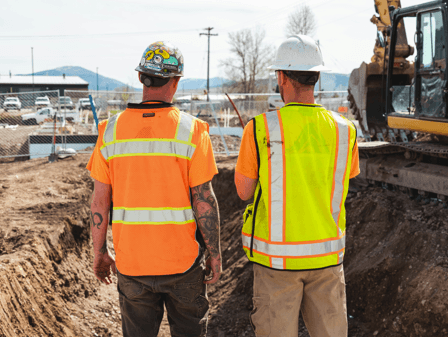
Construction Project Software to Improve Team Communication
In the dirt, at the trailer, or over a set of prints in the bed of a truck—communication is the literal mortar that holds a project together.
In the dirt, at the trailer, or over a set of prints in the bed of a truck—communication is the literal mortar that holds a project together. As any General Contractor (GC) with a few grey hairs will tell you, a project doesn’t usually fail because of a bad pour or a late lumber delivery; it fails because the right person didn't get the right information at the right time.
When you’re juggling multiple subs, specialty trades, architects, and an owner who wants an update every twenty minutes, the "old way" of doing things—scribbled notes, frantic voicemails, and a "lost" RFI buried in a 300-email thread—is a recipe for a liquidated damages claim. At GetBuilderHelp.com, we’ve seen it all. We know that if you want to scale your firm and keep your margins intact, you have to move from "reactive" shouting to "proactive" systems.
Here is how modern construction project software is reinventing team communication and why your firm’s survival depends on adopting it.
1. The Death of the "Telephone Game": Centralizing the Truth
In a typical build, information flows from the Architect to the GC, from the GC to the Sub, and from the Sub to the Foreman. By the time that instruction hits the guy with the hammer, the original intent may be mangled.
Project management platforms act as a "Single Source of Truth." Instead of five different floor plan versions floating around the jobsite, there is one digital set. When a revision is uploaded, every tablet and smartphone on-site syncs instantly.
The GC Advantage: You eliminate the "I didn't know the spec changed" excuse. If a sub installs a window based on an outdated revision, the software’s timestamped "view history" proves exactly when they were notified. According to the Construction Management Association of America (CMAA), documentation is the primary defense against costly litigation and back-charges. Centralized software ensures your paper trail is ironclad.
2. RFIs and Submittals: Truncating the Timeline
Nothing kills a schedule faster than a pending construction RFI (Request for Information). If your framing crew hits a structural conflict and has to wait three days for an email response from the EOR (Engineer of Record), you are burning man-hours and losing momentum.
Modern software streamlines this by:
Linking RFIs directly to the Prints: A foreman can snap a photo of the conflict, drop a "pin" on the digital drawing, and trigger an RFI that goes straight to the architect’s inbox.
Automated Follow-ups: The system doesn't forget. If an RFI isn't answered in 48 hours, it gets flagged.
Submittal Workflows: Managing submittals for long-lead items (like switchgear or custom glazing) requires a clear hand-off. Software tracks the ball from the sub to the GC to the designer, ensuring no one "sits on it" for a week.
3. Field-to-Office Sync: The End of the Friday Afternoon Scramble
We’ve all been there: It’s 4:30 PM on a Friday, and you’re trying to piece together the week’s progress to verify a pay app. You’re calling supers, checking texts, and looking at blurry photos.
With field-first software, the Daily Log becomes a live feed.
Weather Tracking: Software automatically pulls local weather data into the log, documenting exactly why the site was too wet for a pour. This is crucial when you need to justify a schedule extension to an owner later.
Manpower Counts: Knowing exactly how many "boots on the ground" each sub had today allows you to spot productivity trends. If the plumbing sub promised ten guys but only sent three, you’ll see it in real-time on your dashboard—not two weeks later when the schedule is blown.
Photo Documentation: High-resolution photos, often 360-degree views, are mapped to the floor plan. This "X-ray vision" allows the office to see exactly what’s behind a wall before it’s rocked, saving a fortune in "investigative" demo work if a leak occurs six months later.
4. Managing the "Chaos Factor": Internal vs. External Chat
Construction is loud, dirty, and fast. Sometimes you don’t need a formal RFI; you just need to know where the dumpster was moved. However, using personal text messages for job site logistics is a liability. It’s hard to search, and it’s lost if a PM leaves the company.
Many GCs are now using Microsoft Teams or Slack integrated with their construction software.
Channelized Communication: Every job has its own "channel." This keeps the talk about the "Main St. Condo" separate from the "Industrial Park Tilt-up."
Accountability: By keeping project-related chat in a company-owned app, the GC retains the history. If a dispute arises over a verbal "go-ahead," you can search the chat history in seconds.
Subcontractor Portals: Top-tier software allows you to bring subs into a limited "portal." They see only what they need to see, but they are part of the communication loop. This builds a "Team" atmosphere rather than a "Us vs. Them" dynamic.
5. Change Order Transparency: Protecting the Margin
The "Scope Creep" is the silent killer of the GC's profit. A sub does a "small favor" for the owner, and suddenly you’re expected to eat the cost because it wasn't documented.
Software forces a workflow:
Field Change Request: The sub notes a change in the field via the app.
Estimate/Pricing: The GC attaches the cost.
Owner Approval: The owner signs the digital change order on their phone.
Budget Update: The project budget updates automatically.
This level of transparency prevents the "Sticker Shock" at the end of the project. When everyone can see the budget moving in real-time, the "trust" between the GC, Sub, and Owner remains high.
6. Safety and Compliance: Communicating Risk
Managing safety isn't just about a binder in the trailer. It’s about communication.
Digital Toolbox Talks: You can push safety topics to every foreman’s phone every morning. They can take a photo of the signed attendance sheet and upload it instantly.
Incident Reporting: If there’s a "near miss," it can be logged with photos and GPS coordinates immediately. This allows the GC to communicate a "Safety Alert" across all active job sites to prevent a recurring issue.
Compliance Tracking: Software tracks certifications. If a sub's insurance or a crane operator’s license is expiring, the system sends an automated alert. This keeps the job site compliant without a PM having to manually check folders every week.
7. The "Punch List" Sprint: Closing Strong
The last 5% of a job is where reputations are made or lost. Managing a punch list with 200 items across 12 subs is a logistical nightmare if done on paper.
With software like Bluebeam, you can "punch" a room in minutes.
Pinning Issues: Walk the room, take a photo of the scratched paint, and "pin" it to the plan.
Direct Assignment: That "pin" is instantly assigned to the painter. They get a notification, fix the issue, take a "done" photo, and send it back for your approval.
Zero-Gap Completion: You can see a real-time graph of "Open vs. Closed" items. You don't have to guess if the job is ready for a final walkthrough; the data tells you.
8. Bridging the Generational Gap in the Field
One of the biggest hurdles GCs face is getting "old school" supers to use the tech. The lingo used to be "I don't have time for this." However, modern construction software is built for the field first. If they can use Facebook or a banking app, they can use these tools.
By simplifying the communication, you’re actually giving the super two hours of their day back. They aren't chasing papers or sitting in the trailer typing up reports; they are out on the slab, where they belong, managing the trades.
Why It Matters: The Bottom Line
According to a report by Autodesk and FMI Corporation, construction firms lose billions annually due to "bad data"—which is really just a fancy word for poor communication. When you invest in communication software, you aren't just buying an app; you are buying an insurance policy for your profit margin.
At BuilderHelp, we understand that you didn't get into this business to be a data entry clerk. You got into it to build things. By implementing the right software, you automate the "noise" and focus on the "signal." You reduce rework, eliminate "he-said-she-said" disputes, and finish jobs faster.
The New Standard
The days of the "disconnected" job site are over. If you want to be the GC that the best subcontractors want to work for, and the one that owners trust with their biggest investments, you have to be the GC with the best communication.
In 2026, your tech stack is just as important as your fleet of trucks. Start by centralizing your prints, digitizing your RFIs, and bringing your subs into the conversation. Your stress level—and your bank account—will thank you.
Need help selecting the right construction software for your specific trade or firm size?
Connect with us at GetBuilderHelp.com. We specialize in helping General Contractors and Subcontractors navigate the technical side of the business so you can stay focused on the build.
© 2026 GetBuilderHelp.com. All rights reserved.