
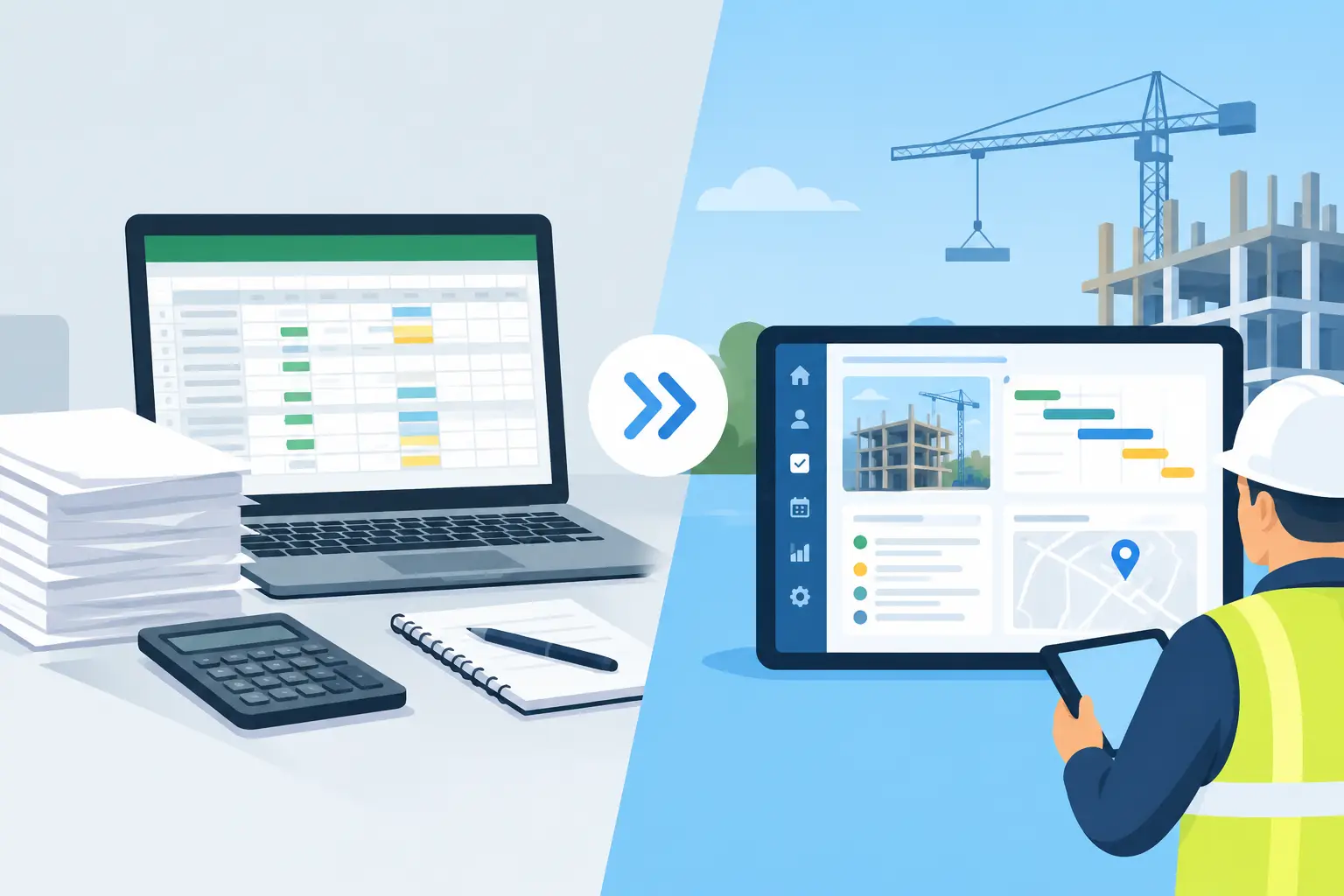
Spreadsheets Versus Construction Operations Platforms
Spreadsheets versus construction operations platforms: see where they help, where they fail, and how builders gain control across every active job daily.
A schedule slips because a truss delivery moved two days. The superintendent texts the change from the phone in the truck. Someone updates a spreadsheet later - or thinks someone else did. Meanwhile, the PM is working from yesterday’s version, the client is asking about the framing date, and the drywall sub still has the old start date. That is the real decision behind spreadsheets versus construction operations platforms. It is not about whether your team can use Excel. It is about whether the business can keep moving when the job changes at 10:30 on a Tuesday.
Spreadsheets remain useful in construction. They are familiar, flexible, and fast for a one-off calculation. But when they become the place where schedules, budgets, selections, invoices, subcontractor commitments, and job decisions all live, they turn into a system that depends on constant manual effort. The question is not whether spreadsheets are good or bad. The question is whether they are carrying work they were never designed to carry.
Why spreadsheets become the default
Most builders do not choose spreadsheets because they want fragmented operations. They choose them because the first version works. A project manager needs a budget tracker, so they build one. An office manager needs a payables log, so they create another. A superintendent needs a look-ahead schedule, and a third sheet appears.
For a small team with a few predictable jobs, that can be enough. A spreadsheet is especially strong for estimating scenarios, quick cost comparisons, custom reports, and temporary planning. It lets experienced people shape information around the way they already work.
The problem starts when the sheet stops being a calculation tool and becomes the official record of what is happening in the field. Then every update has to be found, interpreted, entered correctly, saved in the right place, and communicated to everyone affected. Construction work does not wait for that sequence.
A spreadsheet also cannot tell you whether the number in cell G42 is current. It cannot show the foreman the latest plan revision from the tablet on the tailgate. It cannot automatically connect an approved change, a material order, a budget impact, and a schedule dependency unless someone builds and maintains that connection by hand.
Spreadsheets versus construction operations platforms: the operational difference
The clearest difference is not the screen. It is the flow of information.
A spreadsheet stores data in rows and columns. A construction operations platform connects the work around that data. When a delivery date changes, the schedule, task list, responsible people, and related job context can live in the same operating environment. When an invoice comes in, it can be captured, coded against the right cost area, reviewed, and reflected in the job’s financial picture without being retyped across several trackers.
That does not mean every builder needs a massive enterprise system. In fact, many small and mid-size contractors have been burned by software that asks them to spend months configuring dashboards while the jobs keep running. A useful operations platform should reduce the number of places your team has to look, not create another place to update.
For builders running custom homes, remodels, additions, spec work, multifamily, or light-commercial jobs, the operational difference usually shows up in five pressure points.
Schedule changes stop being isolated events
A spreadsheet schedule can be well built and still fail in the handoff. A PM changes a date, but the sub gets a text from the superintendent that says something different. A client hears an outdated milestone. The material order is still tied to the old sequence.
A connected platform gives the team one current schedule and attaches the related conversations, tasks, and dependencies to the job. The goal is not to eliminate change. No construction system can do that. The goal is to make changes visible before they become missed mobilizations, idle crews, or avoidable calls from unhappy owners.
Financial tracking gets closer to the job
Many contractors know their overall financial position but cannot see the full picture on an active project without pulling information from accounting software, email, paper invoices, and multiple spreadsheets. By the time someone reconciles it, the decision window may be gone.
A platform built for operations brings budget categories, invoices, commitments, materials, and job activity into the same view. That helps owners and PMs ask better questions earlier: Are we buying out as expected? Did that selection change affect margin? Which invoices are waiting for approval? Is one job consuming more attention and cash than it should?
Spreadsheets can report these answers. The challenge is the lag and labor required to get them. If the office is spending Friday afternoon cleaning data so leadership can understand Monday’s reality, the system is already behind.
Subcontractor coordination becomes less dependent on memory
Subcontractors do not need another complicated login process or a training manual before they can do good work. They need clear dates, current plans, defined tasks, quick answers, and a record of what was agreed.
When communications live in text threads, personal email inboxes, and separate spreadsheets, accountability gets fuzzy. Nobody is necessarily careless. The information is just scattered. A construction operations platform can give the team a shared job record without forcing every trade partner into expensive, heavy software.
That matters when a sub says they never received the update. Instead of searching phones and email chains, the PM can see the task, the document, the conversation, and the timing in one place.
Documents stay tied to the decision
Plan version confusion is one of the most expensive forms of administrative noise. A revised detail lands in an email. A superintendent saves it to a folder. A crew prints an older set from the truck. The mistake might not surface until material is installed.
A platform cannot replace disciplined document control, but it makes discipline easier. Plans, photos, approvals, selections, and field notes should sit with the project rather than disappear into individual devices. The best system makes retrieving the answer faster than calling three people.
The field can update the office without a desk session
This is where modern AI changes the equation. A superintendent sees an issue while walking the job. The old process is to remember it, take a photo, send a text, write a note, and hope it gets entered later. The new process can be a voice command that creates a task, updates the schedule, records the issue, or pulls up project information while the person is still standing in front of the work.
That is not a gimmick. It addresses the biggest gap in most construction systems: the people closest to the work are often the least available to perform manual data entry. BuilderHelp is designed around that reality, letting builders talk to the project from the truck instead of trying to reconstruct the day at a desk.
When a spreadsheet is still the right tool
Replacing every spreadsheet is not the goal. A good construction business should keep using spreadsheets where they are genuinely faster and safer: a quick bid comparison, an estimating what-if, a lender-specific draw format, or a specialized calculation that does not need daily collaboration.
The dividing line is repeatability and consequence. If several people need the information, if it changes often, if it drives field action, or if a missed update costs money, it belongs in a shared operational system. If it is a private working file used for a limited calculation, a spreadsheet may be exactly right.
That distinction prevents the common mistake of buying software for software’s sake. The purpose is not to digitize bureaucracy. It is to remove the duplicate entry, chasing, and memory work that pulls experienced builders away from managing the job.
What to look for before making the switch
Do not evaluate a construction operations platform based on a feature checklist alone. Watch how quickly it can be used on a live project. Can a superintendent update it from the field? Can an office manager capture and route invoices without rebuilding the workflow? Can a subcontractor receive what they need without paid-seat friction? Can an owner see what is at risk across active jobs without asking for a manual report?
Also ask what the platform expects from your team. If success requires a full-time software administrator, elaborate permission design, and months of data cleanup, the tool may be wrong for the company you are running. Small and mid-size builders need control, not a second administrative business.
The best transition usually starts with one live workflow that is already causing pain, such as schedule updates, invoice coding, delivery coordination, or client approvals. Prove that the team can move faster with fewer handoffs. Then expand from there.
Your spreadsheets do not have to disappear. They just need to stop carrying the operational weight of the entire company. Put live job information where the office and field can act on it together, and let the phone in the truck become part of the control center instead of another place where critical updates get lost.